Resources / Documentations / New Session
New Session
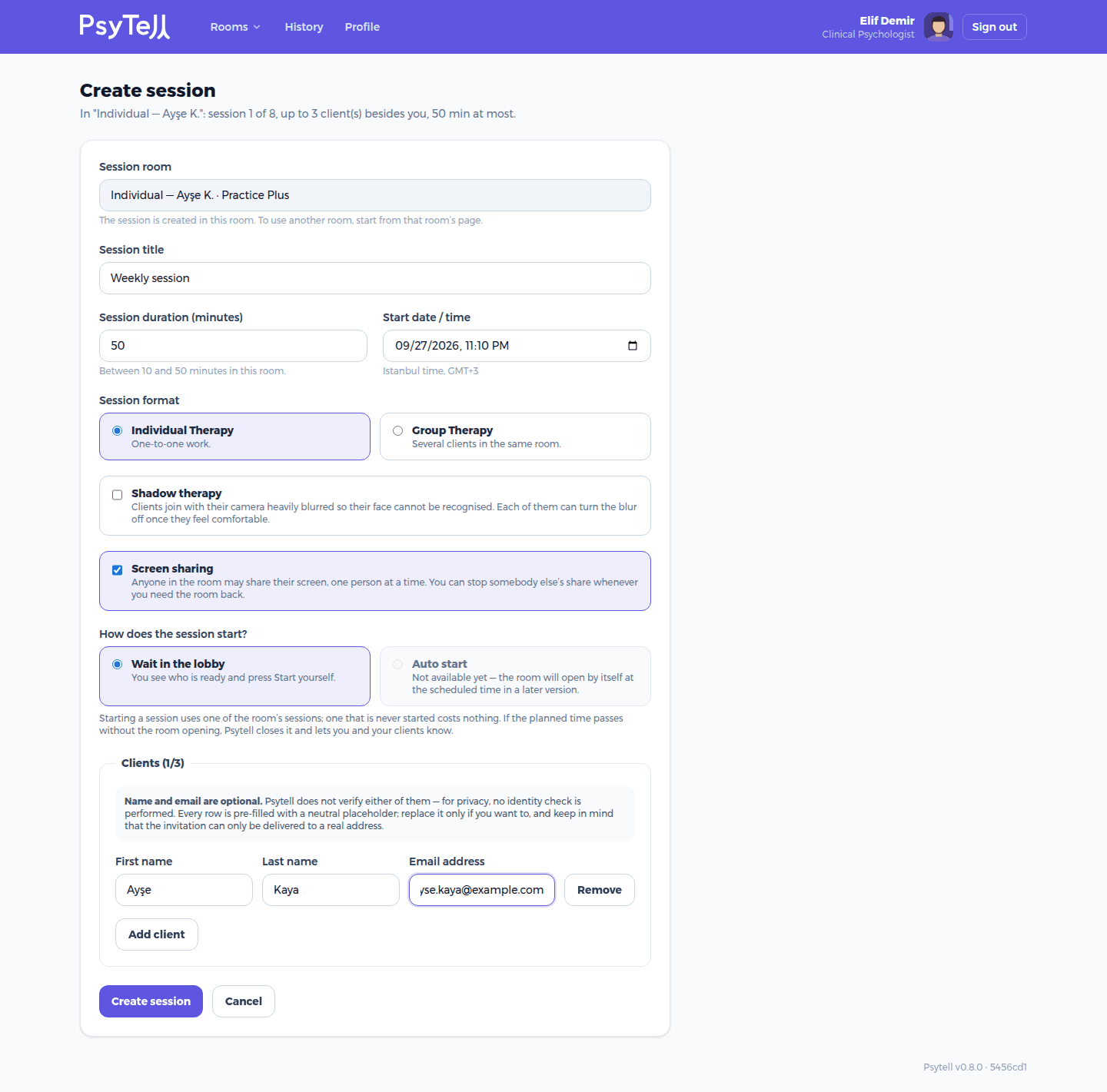
In a room, click New session and fill in:
- Session title. For example "Weekly session". Clients see it.
- Session duration. Between 10 minutes and the room's maximum.
- Start date / time. In Istanbul time.
- Session format. Individual Therapy or Group Therapy.
- Shadow therapy. Clients join with their camera heavily blurred. Each client can turn the blur off when they feel comfortable. Only available if the room's bundle includes silhouette view.
- Screen sharing. Lets anyone in the room share their screen, one person at a time. Only available if the room's bundle includes it; otherwise the box is greyed out.
- How does the session start? Always Wait in the lobby: you see who is ready and press Start yourself. Auto start is not available yet.
- Clients. Add one row per client. Name and email are optional and never verified. A neutral placeholder is filled in for privacy. The invitation email only arrives if the address is real.
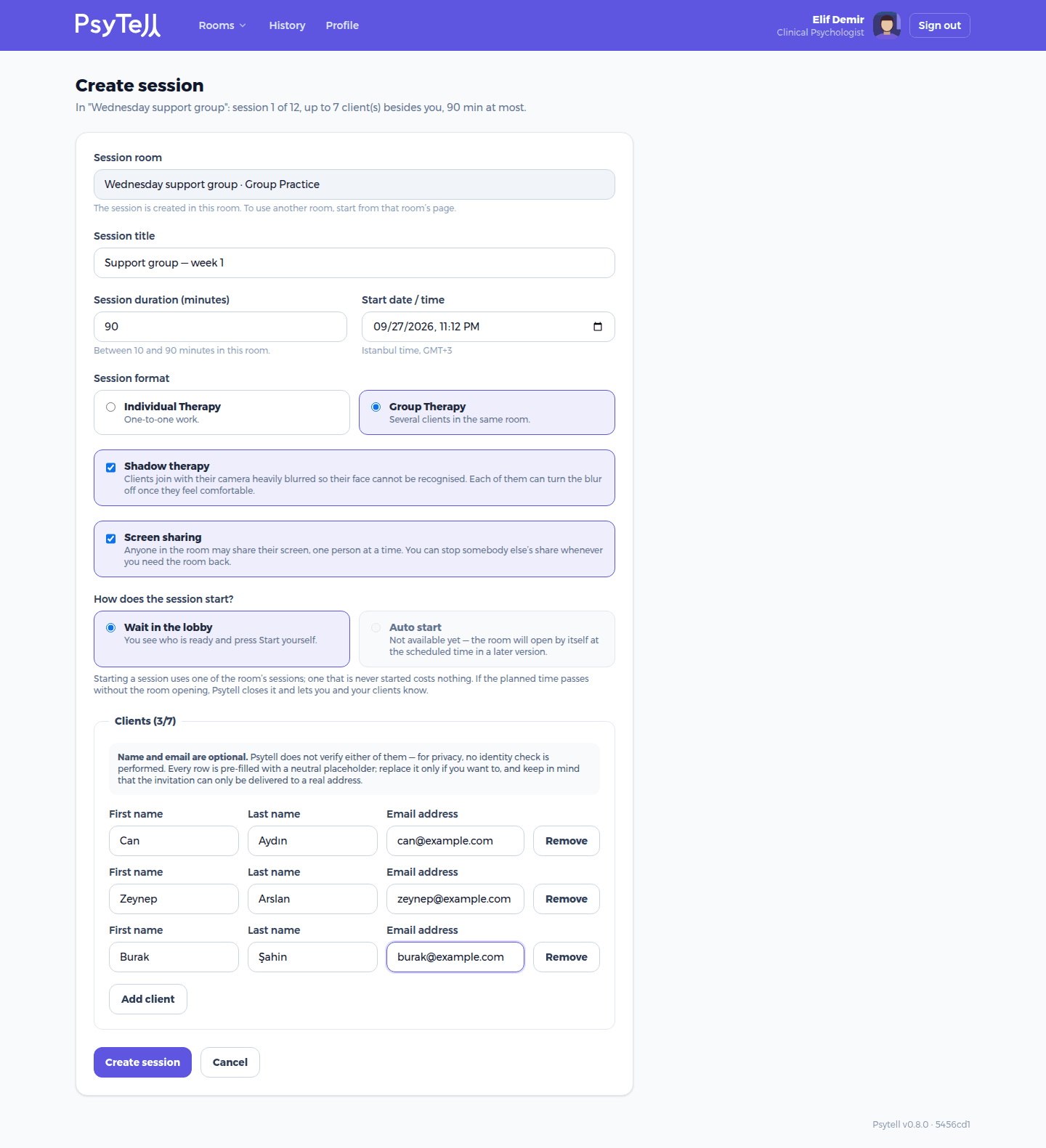
The number of client rows is limited by the room: People per room includes you, so a 4-person room has 3 client seats.
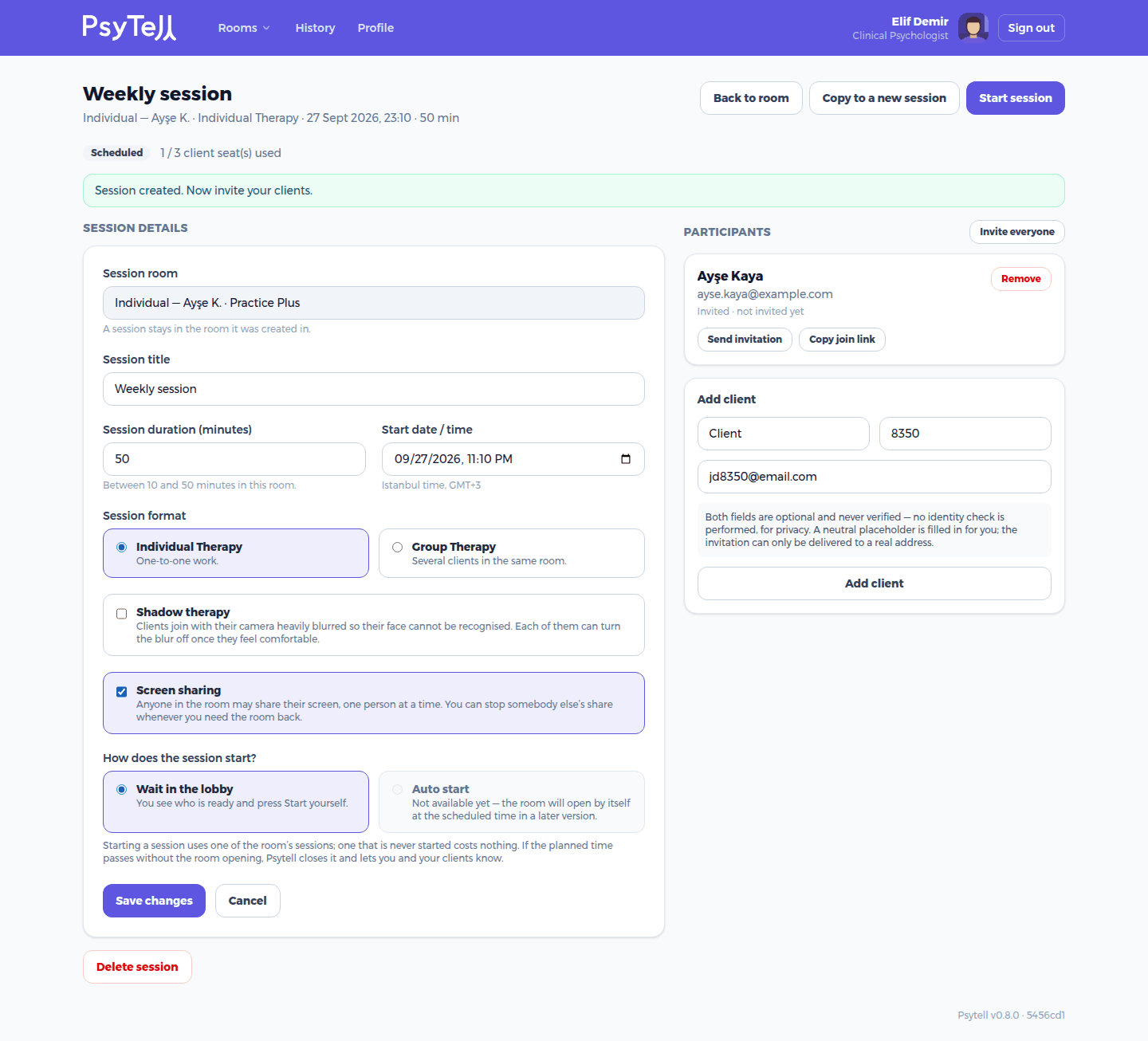
After saving, you land on the session page. There you can change the details, add or remove clients, Copy to a new session (handy for a weekly appointment) or Delete session.